 COMPENDIUM
Compendium / Platform / Learning
A Course Builder and Learning Platform, Built into the School's Own System.
Teachers build lessons in place from rich blocks, and students take them in an immersive player. Quizzes go straight to the gradebook because the LMS shares the same classes and roster as everything else.
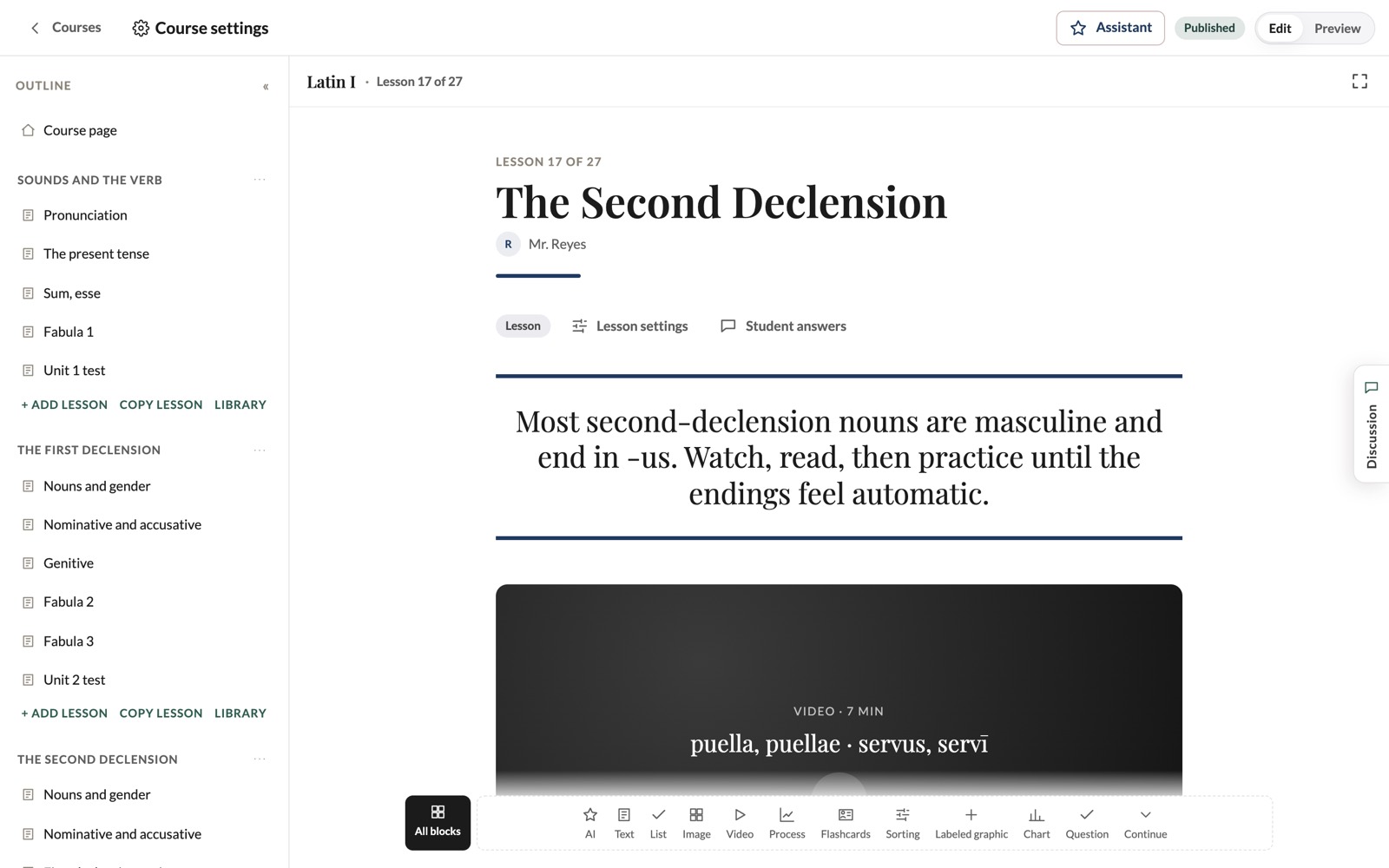
Editing a lesson in place: what the teacher sees is exactly what students see.
Learning, in Detail.
22 Lesson Blocks
Text, statement, quote, note, list, image, video, audio, PDF and web embeds, download, chart, accordion, tabs, flashcards, process, labeled graphic, sorting, multiple choice, written response, divider and continue.
Edit in Place
A floating text bar and a block bar for styles, alignment, box colors and spacing. No separate editor and no preview lag.
Continue Gating
Learners unlock the next section as they go. Preview from here, or from the beginning.
Auto-Graded Quizzes
Answers are checked on the server and land in the gradebook. Teachers read written responses lesson by lesson.
Class Discussions
Every lesson has a Discussion tab. Comments are pinned to the block they're about, and teachers are notified.
AI Block
Drop it anywhere and it writes content for that exact spot, in the lesson's voice. Undo removes it.
Templates & Library
Start from eight classical course templates, copy lessons between courses, import and export whole courses.
Covers & Colors
Banner and card pictures with a crop editor, and any accent color for the course.
Homework & Plans
Post assignments to several sections, collect turn-ins and copy lesson plans across sections.
Replaces: LMSauthoring toolquiz app
Immersive on Every Device.
Students move through a course with a progress menu they can hide, full screen when they want it, and Continue buttons that take them on to the next lesson.
- Course menu with progress
- Full screen and phone layouts
- Flashcards as a stacked deck
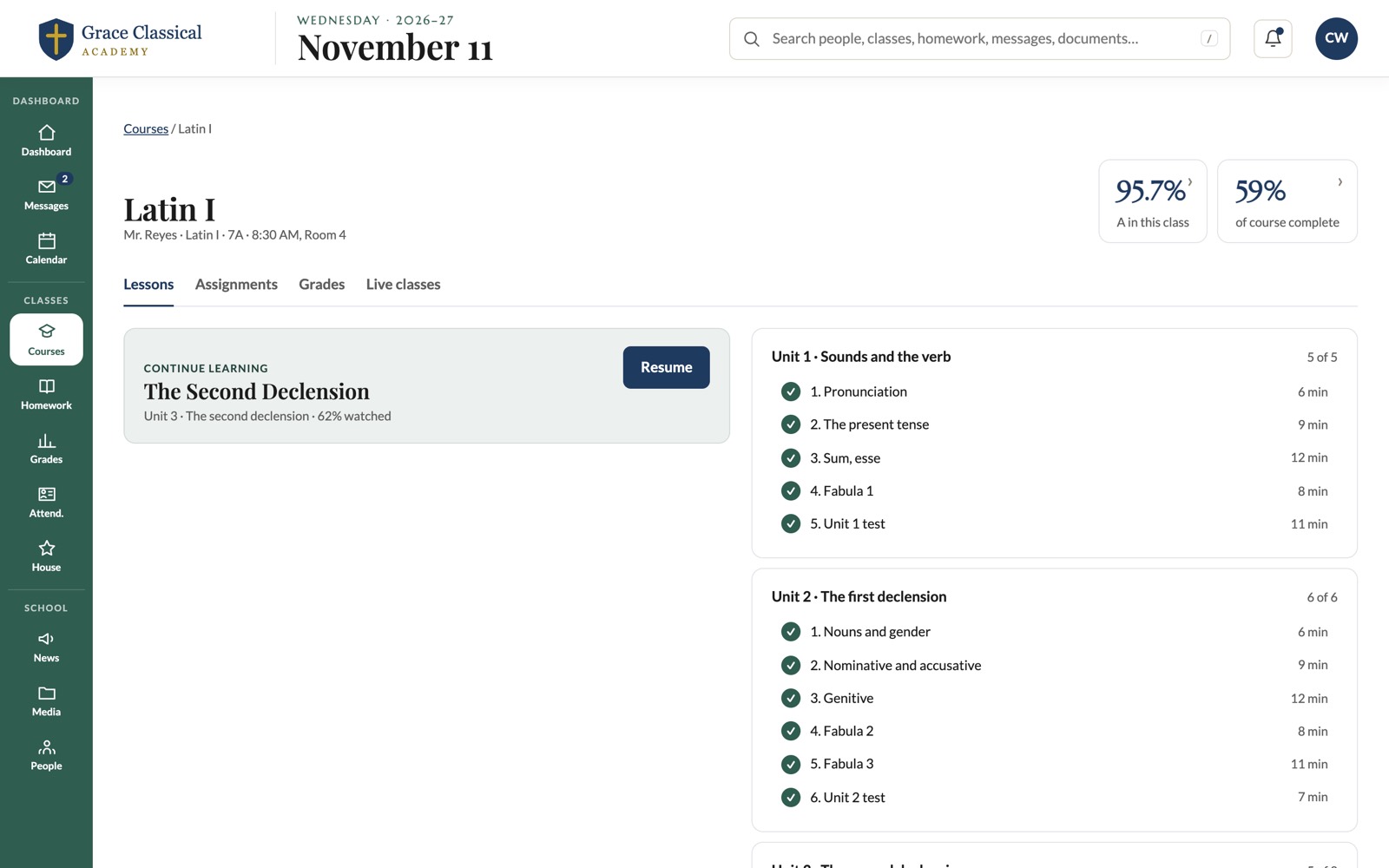
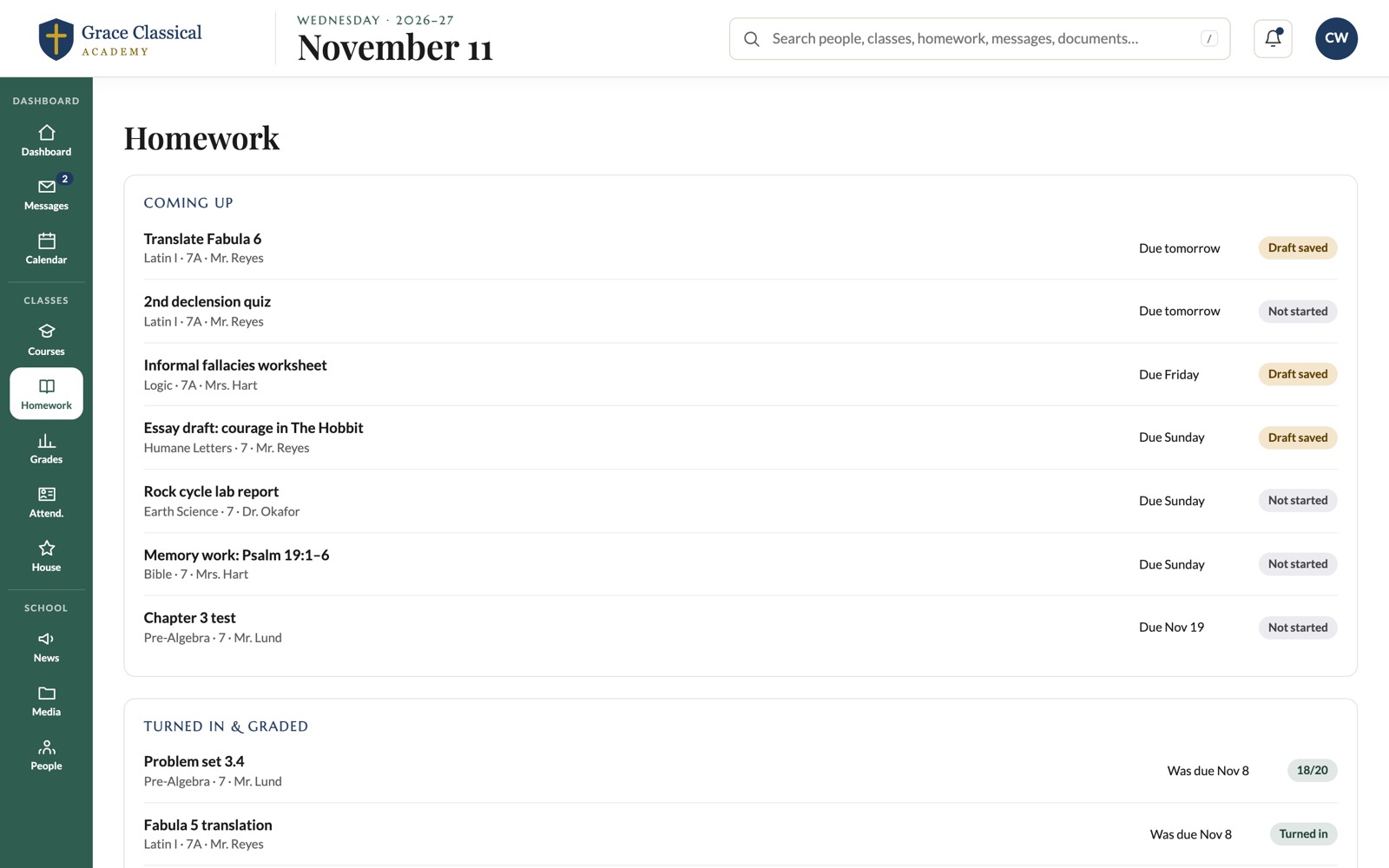
Assignments, Turned in and Graded in One Place.
Teachers post assignments to one or several sections and edit them later. A new due date tells students automatically. Students turn work in, and grades flow into the same gradebook.
- Post to several sections
- Edit in a side panel
- Turn-in from any device
See It with Your School's Data.
Tell us about your school and we'll walk you through learning and the rest of Compendium on a short video call.