 COMPENDIUM
Four Apps, One Platform.
Each role gets its own menu and its own dashboard. One login can hold several roles, such as a teacher who is also a parent, and switch between them from the top of the page.
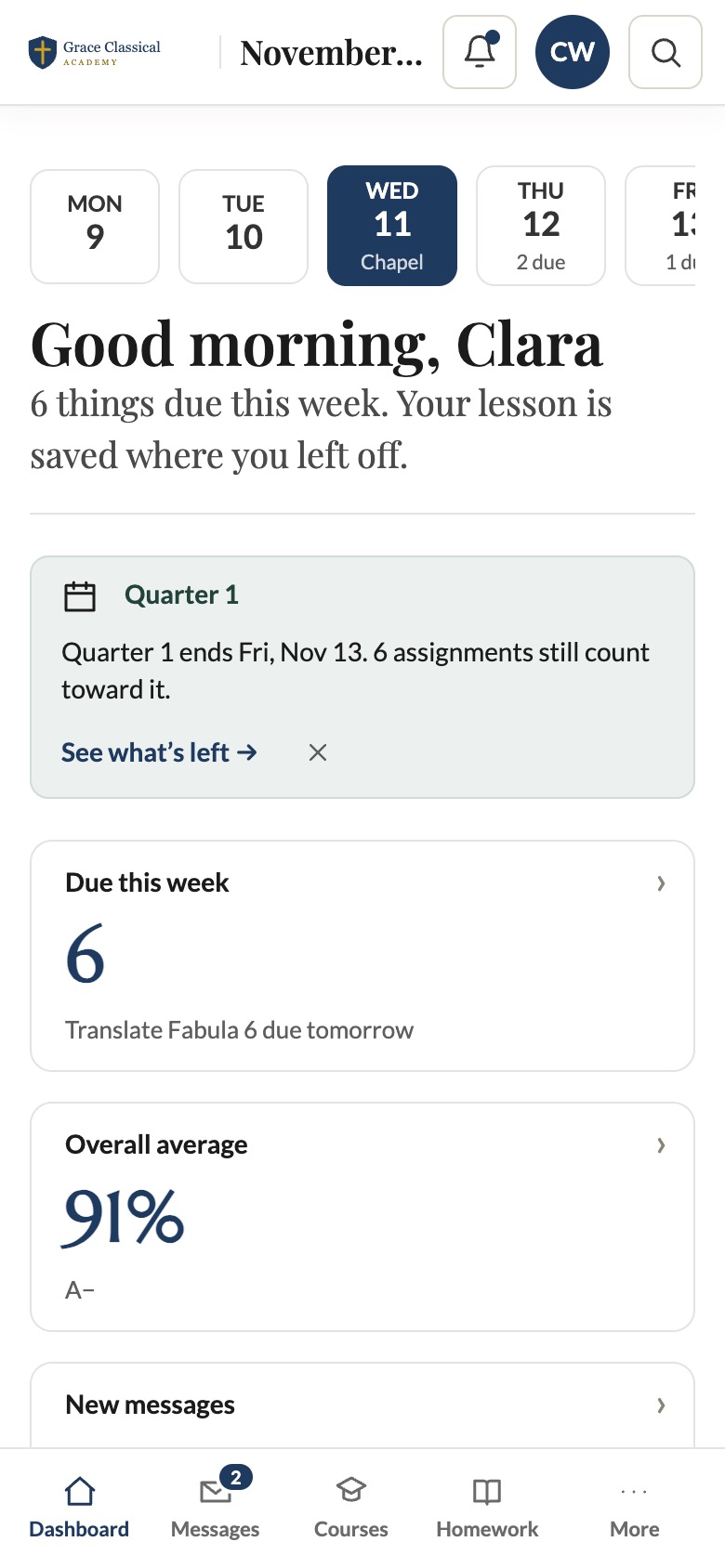
Everything for Class, in One Place.
Students start each day on their own dashboard, then open courses in the immersive player, turn in homework, and check grades, attendance and house points.
- Courses and lessons with Continue gating, knowledge checks and quizzes
- Homework with turn-in from any device
- Grades, attendance, house points
- Messages, calendar and media
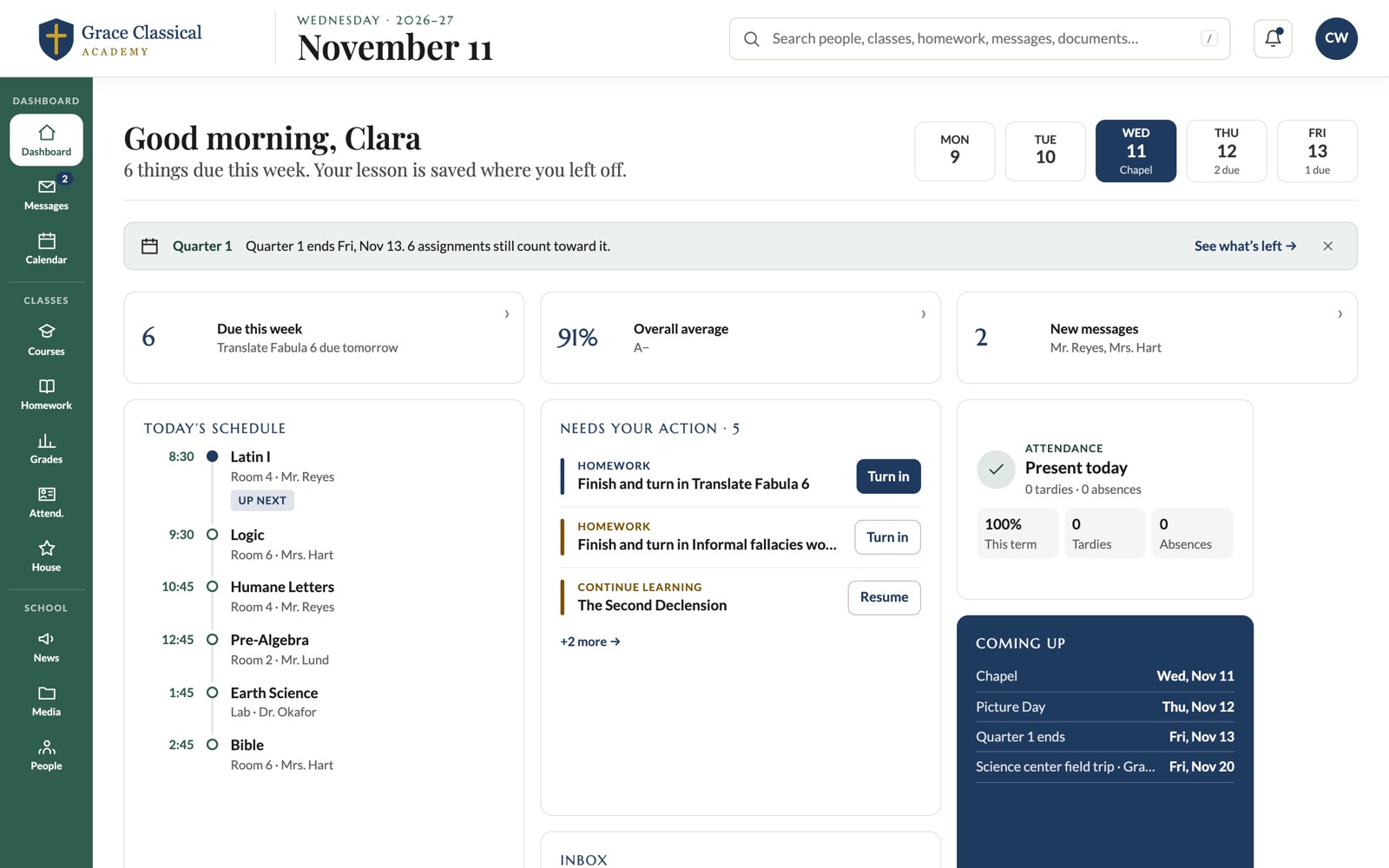
Student Dashboard
Every Child, Every Bill, One App.
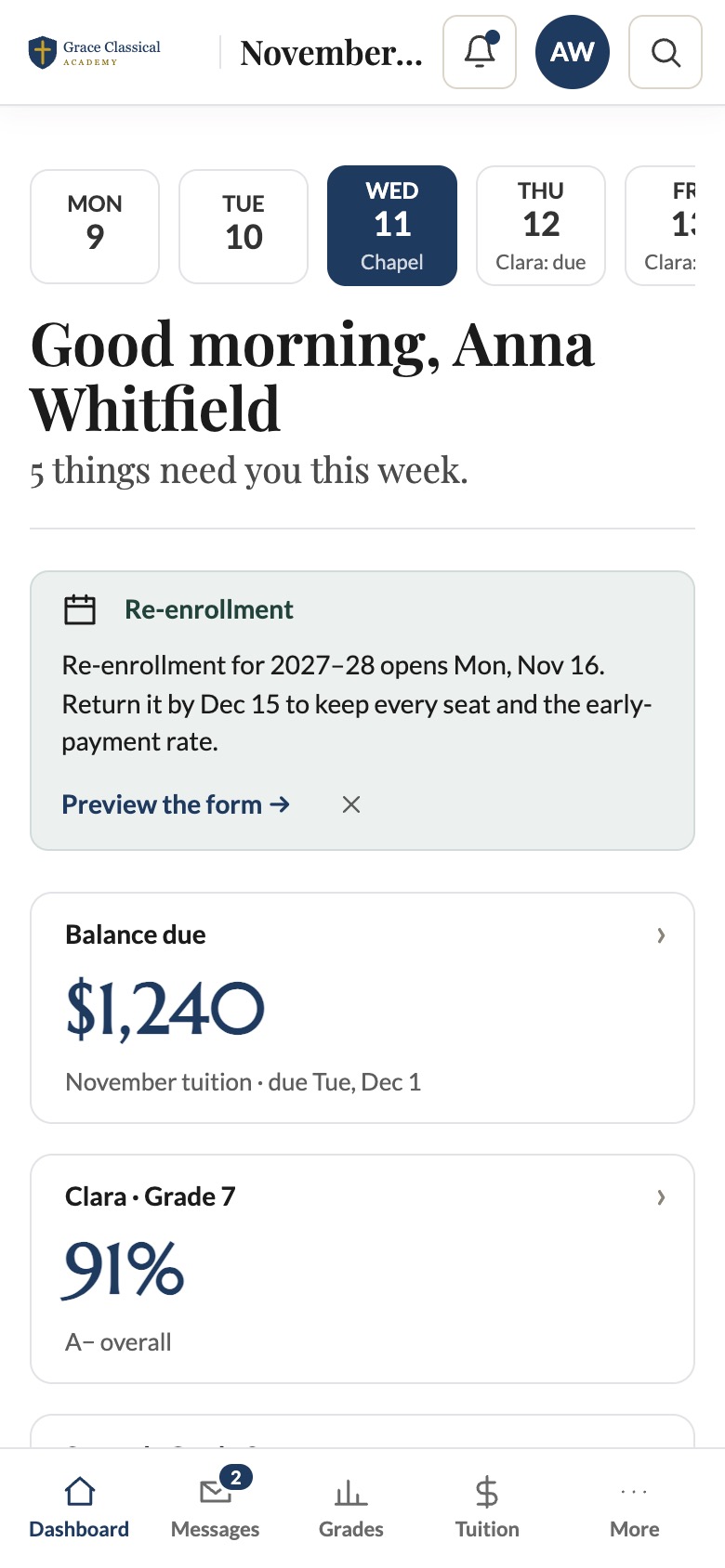
Parents see each child's grades, homework and attendance, report an absence, pay tuition or set up AutoPay, sign forms and book conferences, all from a phone.
- Per-child grades, homework and attendance
- Report an absence without calling the office
- Tuition, AutoPay and receipts
- Forms, e-signatures, conferences, volunteer hours
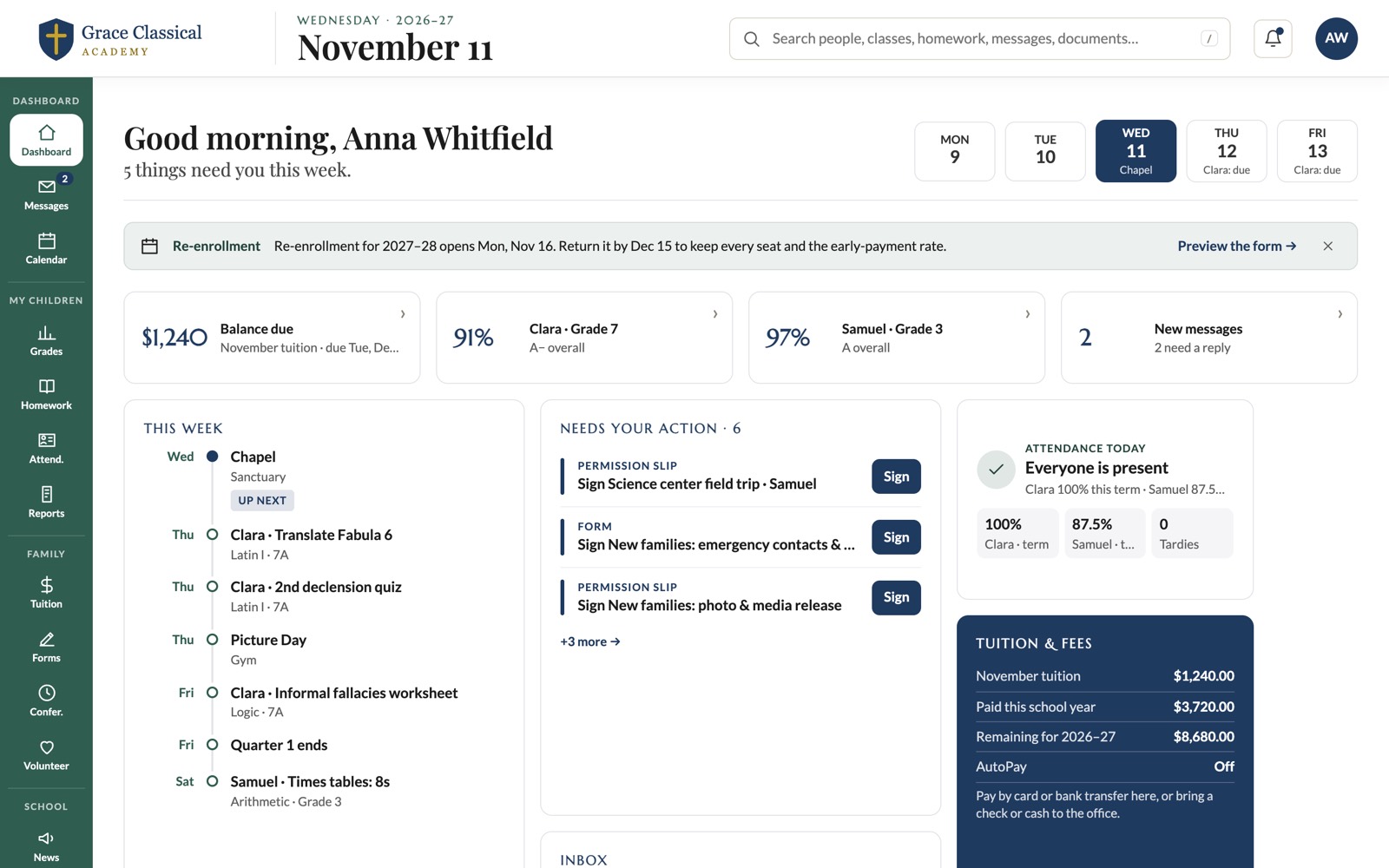
Parent Dashboard
Less Clerical Work, More Teaching.
Teachers take attendance in a tap, grade in a weighted gradebook, build lessons in the course builder, plan once and copy plans across sections, and let class workflows handle follow-ups.
- Attendance and gradebook
- Course builder and lesson plans
- Assignments to several sections
- Class workflows, conferences and requests
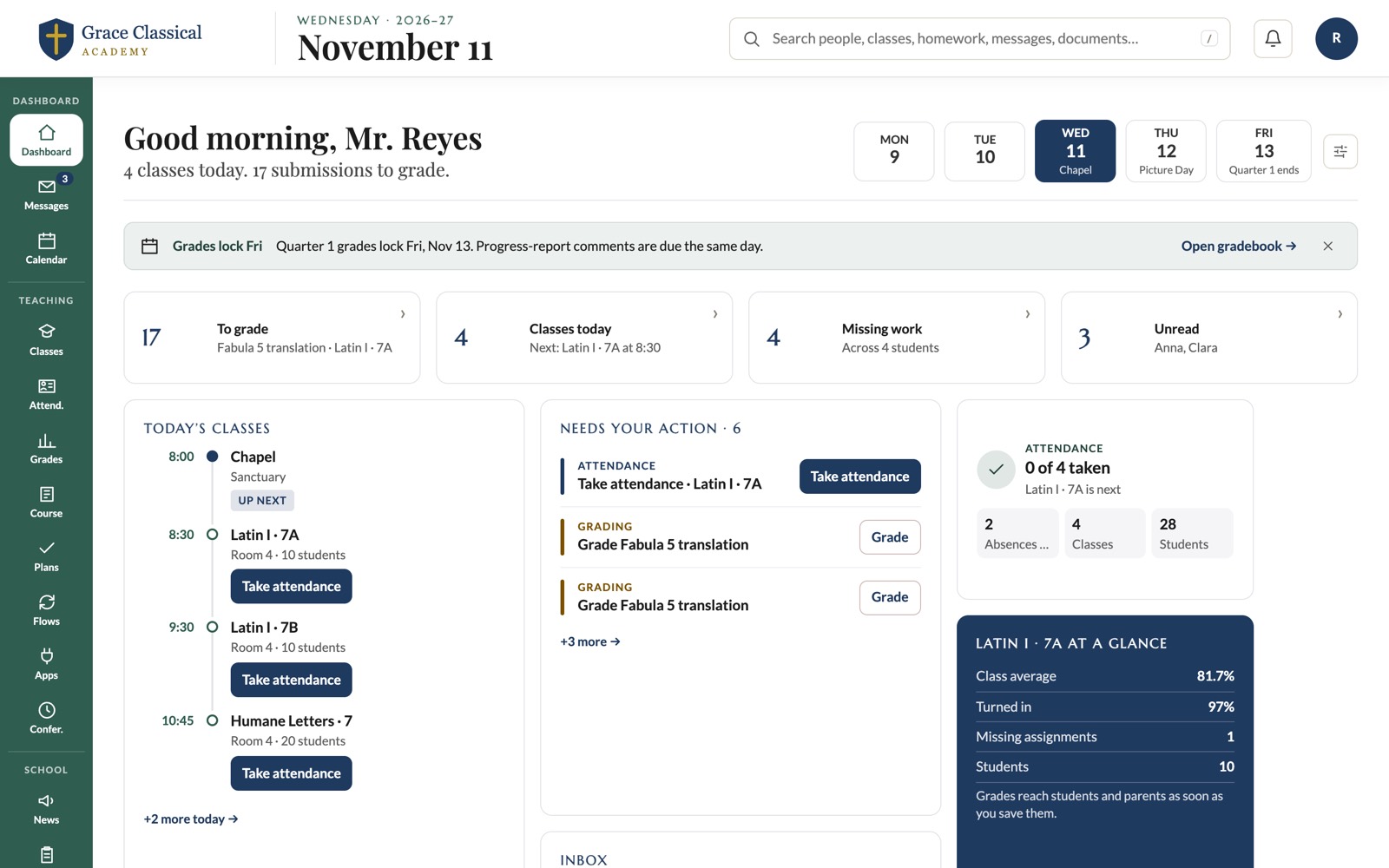
Teacher Dashboard
The Whole School, at a Glance.
Administrators see what needs a decision today, then run people, admissions, classes, money, reports and setup from one menu.
- People, admissions and classes
- Money, agreements and accounting
- Reports, transcripts and analytics
- Branding, features, labels and integrations
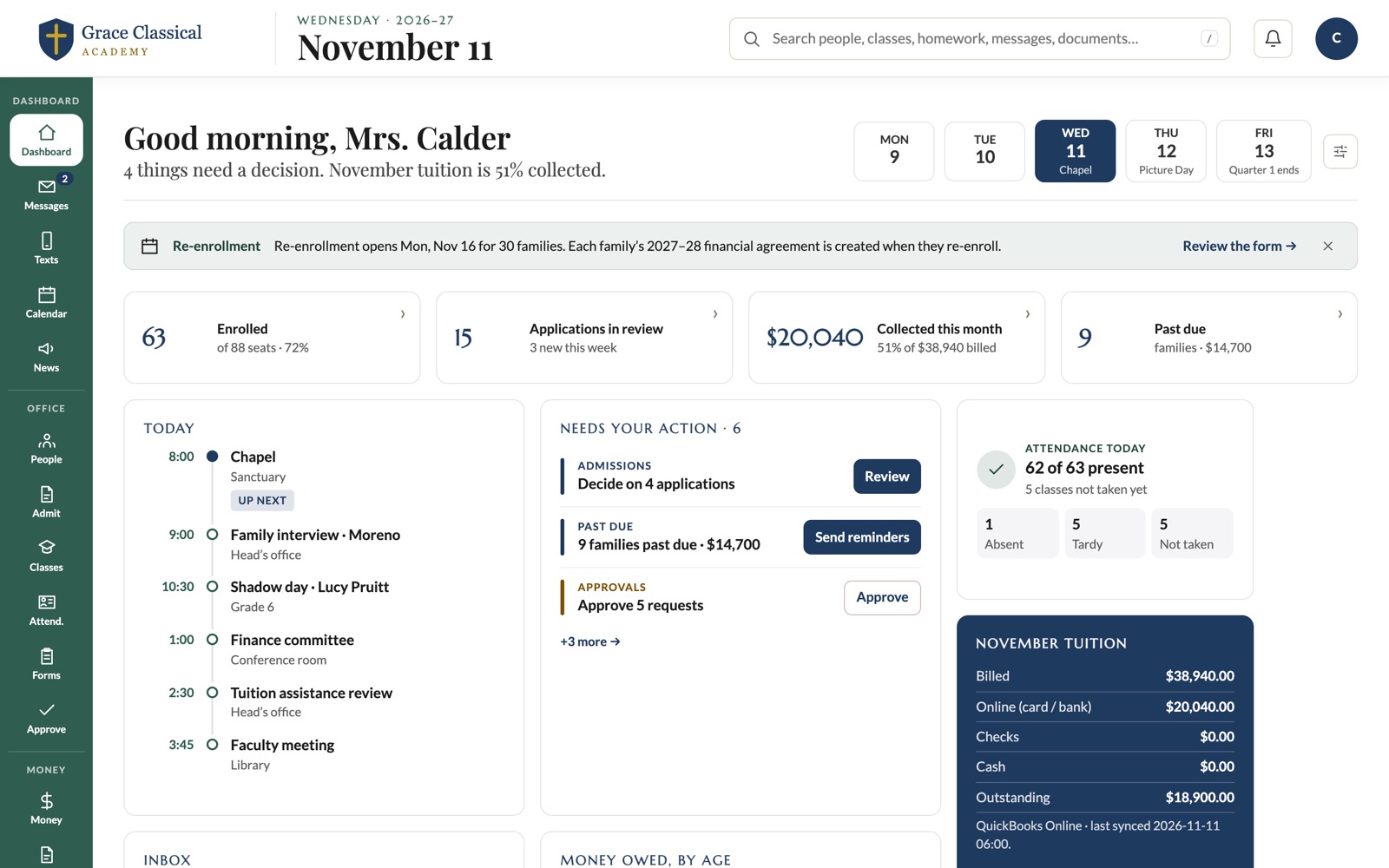
Administrator Dashboard